Building a website is rarely just about writing code. At first glance, a project looks deceptively straightforward: a homepage, a catalog, a few admin screens, some images, and standard SEO optimization. Once the actual work starts, the real complexity appears. You suddenly find yourself balancing content management constraints, clean URL routing, image optimization pipelines, admin usability, publishing lifecycles, and a database structure that won't become painful to maintain two deployments from now.
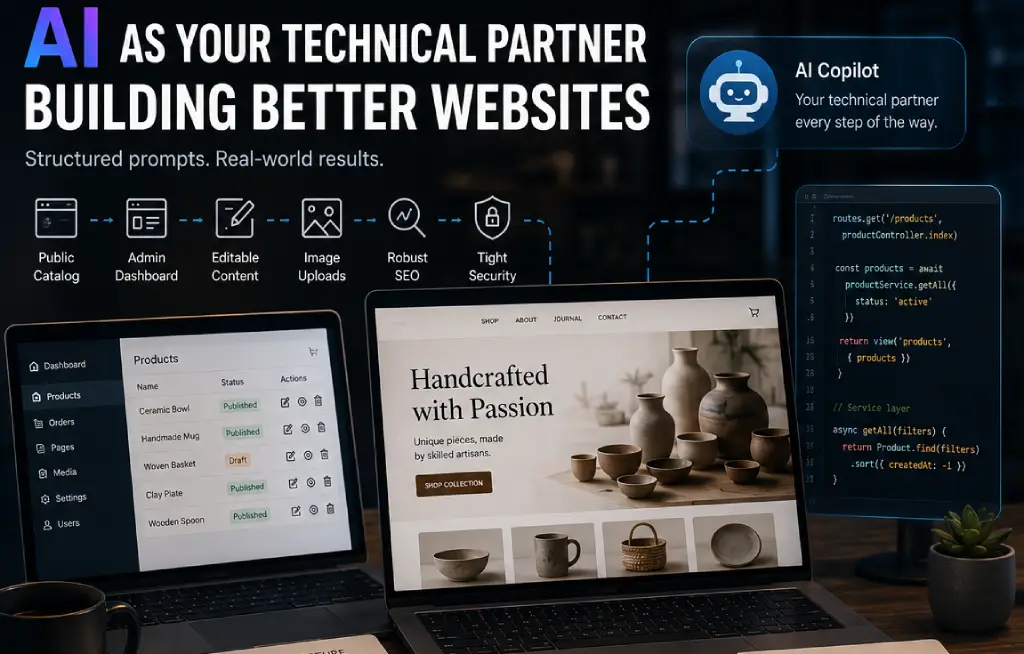
We felt this friction acutely while building a platform for a small artisan brand. The site itself wasn't enterprise-scale, but it had enough real-world operational needs to make the development process challenging. We needed a public catalog, a functional admin dashboard, editable homepage sections, custom content pages, image uploads, robust SEO, and tight security.
AI helped a lot during this process, but not because it magically knew what to build. It helped because we learned how to stop treating it like a basic code generator and started treating it like a technical partner.
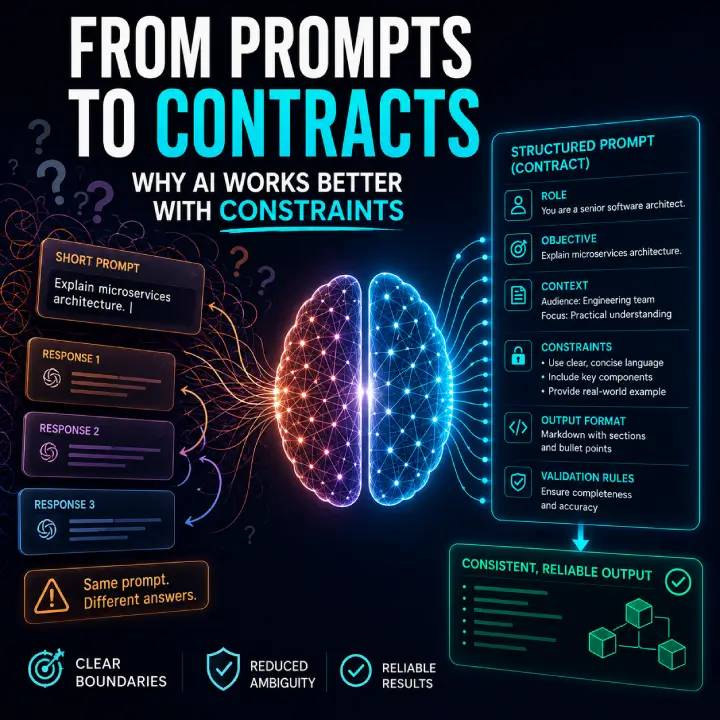
Instead of passing vague requests like "build the admin dashboard" or "improve SEO," we began writing prompts that mirrored internal technical briefs. Each prompt contained context, architectural constraints, UI rules, edge cases, and strict response formats.
Here are the five prompt frameworks that came out of that project, along with the reasoning behind why they actually worked.
1. The Feature Brief Framework
One of our earliest missteps was asking the AI for isolated snippets. When you say "Create a products admin controller," the model doesn't know your architectural patterns, so it guesses. Usually, it guesses a generic, highly coupled solution that drops database logic directly into the route handler.
To fix this, we stopped asking for code and started providing architectural guardrails.
This structural framework changes the output quality because it forces the AI to operate within an existing system design. When you explicitly mention the service layer, validation constraints, and separation of public versus admin states, the AI stops coding for the happy path alone. It begins generating code that accounts for data integrity and architectural boundaries, reducing the time spent refactoring messy, inline logic.
2. The Internal UX Optimization Prompt
Admin screens are notorious for receiving minimal design attention. They are frequently treated as internal tools where aesthetic and workflow efficiency do not matter. For a content-managed site, however, the admin dashboard is the core software product for the business owner. If the interface is clunky, content updates stall.
Small enhancements, like inline status toggles in listing views, accessible icon buttons instead of text-heavy links, and persistent sidebar navigation, radically change daily operations.
The forcing function here is the phrase "without redesigning the entire admin." Without this explicit boundary, LLMs tend to propose massive, disruptive changes, like introducing new front-end frameworks or swapping out CSS libraries. This prompt keeps changes surgical and localized, ensuring the new code integrates smoothly with the rest of your dashboard legacy.
3. The Structural SEO Blueprint
SEO is frequently handled as a superficial checklist right before launch. Real optimization, however, impacts your routing configuration, metadata models, publishing states, sitemap engines, and structured data objects.
Instead of treating search optimization like meta-tag decoration, we used a prompt that turned SEO into a core architectural requirement.
The specific instruction to handle development environment blocking via configuration was highly practical. It ensured that during staging phases, the application automatically served a restrictive robots.txt file, then shifted safely to production indexing rules via an environment flag change rather than a code rewrite. This approach treats search infrastructure like any other software configuration environment.
4. The Two-Stage Security Assessment
When you ask an AI to instantly fix security vulnerabilities, it often introduces breaking changes based on generic assumptions. Security workflows benefit significantly from decoupling the analysis phase from the execution phase.
We achieved better results by demanding an initial engineering assessment before allowing the model to touch the codebase.
Slowing the process down allows you to apply human engineering judgment. Not every security warning requires a major database migration or a breaking architectural shift. By forcing the AI to list risks by severity and distinguish between theoretical exploits and practical flaws, you can prioritize remediation without derailing your development velocity.
5. The Pre-Code Technical Blueprint
Some of our most valuable interactions with AI occurred before we wrote a single line of syntax. When a new business request arrives, jumping straight into code is an easy way to accumulate technical debt. Using the model as a scoping partner allowed us to uncover edge cases and validation gaps early.
This workflow forces architectural clarity. It surfaces missing requirements long before you find yourself debugging broken migration scripts or unaligned UI elements. Adjusting a markdown technical plan takes two minutes; refactoring an entire database schema and three service classes takes hours.
Shifting Focus from Speed to Consistency
These prompts succeeded because they shared a distinct engineering philosophy. They provided concrete context, explicit architectural boundaries, clear constraint definitions, and concrete output formats.
AI models can generate lines of code at incredible speeds, but raw velocity is rarely the bottleneck in professional software engineering. The real challenge is maintaining system consistency, ensuring code maintainability, keeping security tight, and aligning technical execution with the broader business strategy.
Moving away from loose, transactional requests and adopting structured technical briefs changes how you build. It transforms the AI from a simple code generator into a reliable technical collaborator.